
TV Headphones for Late-Night Watching
Keep dialogue personal without buying a wireless system your television cannot connect to.
Our advice is based on published information and practical buying considerations, not hands-on testing. Product links in this article are direct manufacturer links. If a link earns us a commission, we label it. Read our affiliate disclosure.
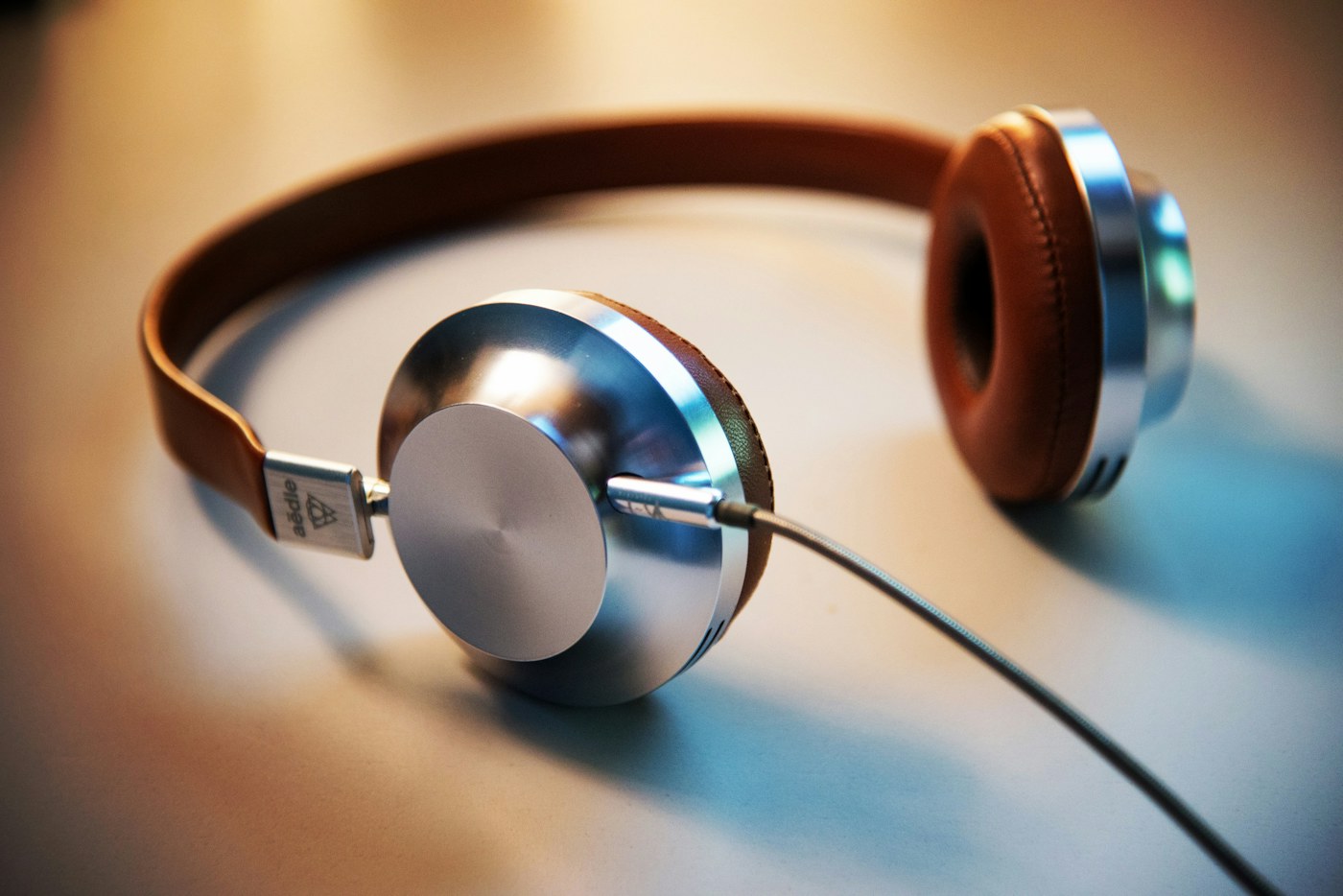
Someone has gone to bed, but you want to finish a film without repeatedly lowering the volume during action scenes. Headphones can solve the household problem, provided they connect to the television and stay comfortable for an entire episode. The confusing part is that television audio outputs and headphone systems do not all work the same way.
The short recommendation
Inspect the television's audio outputs before choosing headphones. A dedicated television-headphone system can simplify a regular nightly routine, while an existing Bluetooth headset may be enough if the TV supports it acceptably. Check dialogue synchronization, volume control, and whether another person needs to hear the television speakers at the same time.
| Nighttime routine | Option to investigate | Important question |
|---|---|---|
| One regular viewer | Dedicated transmitter and headphones | Does the transmitter accept the TV output? |
| Occasional private listening | Existing supported Bluetooth headphones | Is dialogue synchronized? |
| Two people listening differently | Explicit simultaneous-output support | Can speaker and headphone volume differ? |
| Limited charging patience | Simple charging dock or wired arrangement | Will the routine be easy to maintain? |
Start behind the television
Photograph the available audio connections and look up the television manual. An optical output, analog headphone socket, and HDMI audio-return connection are different interfaces. Choose a system that explicitly accepts the output you intend to use. Do not assume a spare HDMI input can serve as a headphone transmitter's audio source.
Philips TAH6206BK/00 is a real television-headphone product to investigate for this kind of setup. Its official UK listing provides a concrete reference; check local availability and the regional version before buying. Verify inputs, included accessories, and compatibility guidance. We are not claiming measured latency or personal listening results. The useful question is whether the documented system fits your television and the way the household watches.
Dialogue must arrive with the picture
Wireless audio can introduce delay depending on the entire connection. A codec claim on one device is not enough if the other device does not support the same arrangement. Where a matched transmitter and headphone set is supplied, follow that system's instructions rather than pairing components at random.
Test a spoken interview or familiar dialogue scene. Watch lips and listen for an obvious mismatch. Some televisions provide audio-delay settings, but adjustment ranges and direction vary. A setting that fixes one source may not solve every app or external player. Test the programs and devices you actually use during the return period.
Decide who controls volume
A television may mute its speakers when headphones connect, or it may offer separate output options. Confirm the exact behavior before buying for a couple who needs different listening levels. Optical output can also have a different volume-control arrangement from an analog headphone socket. Read the instructions for both the TV and the headphone system.
For someone who finds small controls frustrating, evaluate button size, placement, and charging simplicity. A dedicated dock can be useful only if the headphones settle into it reliably and its position is convenient. Place equipment where a cable does not cross a walking route, especially in a dim room.
Comfort and awareness matter
A soft-looking cushion in a product image does not establish comfort. Glasses, headband pressure, ear shape, and heat all influence long sessions. Assess the fit during normal use and avoid compensating for uncomfortable pressure by wearing the headset insecurely.
Use a comfortable listening level and preserve awareness of important household sounds. Headphones can make it harder to hear a doorbell or another person calling. If hearing difficulties are driving the purchase, a consumer headset is not a substitute for appropriate hearing advice. The buying decision should focus on the documented product function rather than unsupported health promises.
When to use what you already own
Try existing supported headphones first if you only need occasional private listening. A dedicated system becomes more attractive when pairing, charging, or switching devices repeatedly causes frustration. Conversely, a wired route may be simplest near the television, provided the cable can be arranged safely and comfortably.
Do not replace a working system merely because a newer model lists more wireless terminology. Reliable nightly use, understandable controls, and a compatible connection are the meaningful upgrades.
Setup checklist
- Identify the television model and exact audio output.
- Match it to a documented transmitter input.
- Check speaker and headphone simultaneous-output behavior.
- Test dialogue synchronization with normal sources.
- Confirm volume and charging controls are easy to use.
- Keep cables clear of walking paths.
Frequently asked questions
Can any Bluetooth headphones work?
Only if the television supports a compatible connection, and acceptable synchronization is still worth checking.
Will the TV speakers stay on?
That depends on the television and selected output. Consult the manual before planning shared listening.
Should I choose the longest wireless range?
Only if distance is your problem. Fit, reliable connection, and simple controls usually matter more from a normal sofa position.
Explore the options
Use the manufacturer’s current specifications to confirm the exact version, compatibility and return terms before buying. Prices and availability can change.
Philips TAH6206BK/00 wireless TV headphones
Why consider it: A dedicated television-headphone product with an official UK specification page.
The tradeoff: Check local availability, regional variant, television outputs, and synchronization.
Explore at the manufacturer ↗Sources & further reading
Source information checked September 30, 2026. Product revisions and regional availability may differ.
See something that needs correcting? Contact our editorial inbox.
Keep exploring
View all
The Commuter’s Guide to Headphones You Will Actually Carry
Choose commuting headphones around comfort, bag space, awareness, and your daily route—not just noise cancellation.
Buying Earbuds for Office Calls: Start With Your Workday
A practical guide to call comfort, microphone expectations, connection switching, and choosing earbuds for hybrid work.
Desktop Speakers for a Small Workspace: Buy the Setup, Not Just the Boxes
How to choose a compact desktop speaker system around desk space, connections, volume controls, and shared rooms.